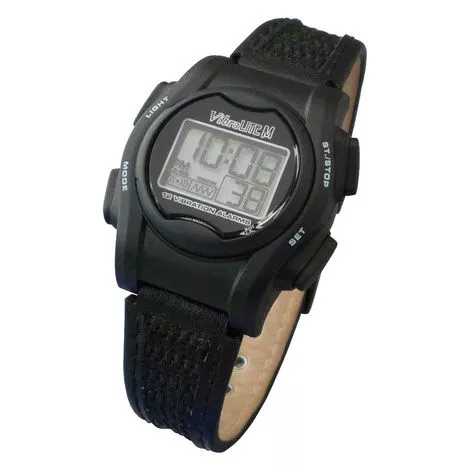
GlobalVibraLITE Mini Vibration Watch Features
- Global Assistive VibraLITE Mini Vibration Watch is user friendly vibration watch
- Not intended to be worn during swimming, diving or in the shower.
- 20 second duration alarm with manual or auto off
- Set up to 12 daily alarms for variable reminders
- Polycarbonate case with stainless steel back
- Countdown timer with auto repeat
- Easy to read digits on display
- Choose between vibration, sound or both
- Dimensions (excluding wristband) 1.2″ x 1.51″ x 0.48″
- 12 hour time format
- Automatic leap year handling
- Water resistant
- Backlit display
- Watch Crystal: PMMA (Poly methyl methacrylate)
- Battery: 1 x 3 Volt Lithium Model CR1632
- Weight: 0.9oz
- Water Resistant: 5 ATM
What to buy withVibraLITE
- Sonic Bomb Alarm Clock with Bed Shaker
- William Sound Pocketalker Ultra Personal Sound Amplifier Without Earphone
- Jodi-Vac Consumer Hearing Aid Vacuum Cleaner
How to setup VibraLITE Mini Vibration Watch
- To SET any function, the Digit(s) that you want to set MUST BE FLASHING.
- When setting the Time Mode, if programming is interrupted and no button is pushed within 2½ minutes, the flashing will stop and the settings that are shown on the screen will be held.
- Finish programming by repeating steps 1 and 2 and rotating through the other steps to complete as needed.
- PM will be displayed at the left of the screen when the hour is set for PM. When the hour is set for AM, the box will be empty.
- When setting the times in Alarm Mode, if programming is interrupted and no button is pushed within 2½ minutes, the flashing will stop and the settings that are shown on the screen will be held.
- The screen will return to Time Mode automatically. Reset as necessary.
- When alarm is on, alarm time will be displayed. When alarm is off, OFF is displayed at top of screen.
- To deactivate or re-activate ALL Alarms, see OPTION Mode Programming Instructions and select OFF or ON for Vibration and Sound.
- When setting Countdown Timer(s), if programming is interrupted and no button is pushed within 2½ minutes, the flashing will stop and settings that are shown on screen will be held.
- Finish programming by repeating Step 2 and continue as needed.
- Button Push Alerts, when set ON will indentify the current alert setting (vibration, sound or both) each time the MODE button is pressed.
- This allows a quick check to confirm current alert functions.
- Button alerts will provide easy monitoring to determine if enough battery power remains to power the Vibration and Sound alerts