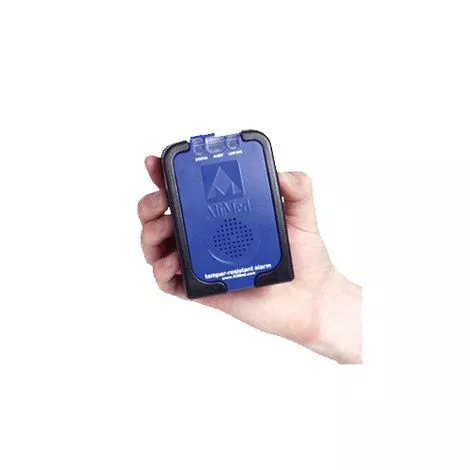
Features
- AliMed TR2 Tamper Resistant Patient Alarm is reliable, versatile, and a full-featured alarm
- Smooth finish, easy to clean and disinfect
- Settings are concealed under the battery cover, away from tinkering patients
- ABS plastic case with rubber bumpers to protect the unit from drops and other abuse
- TR2 is compatible with all of AliMeds bed and chair systems
- With a range of easy-to-set options, the sensor alarm can be quickly configured for a single patient;s needs or for an entire floor. Once activated, the alarm;s protected settings and “Always On” technology eliminate the need for staff reconfiguration, and its bright status indicators ensure the alarm is functioning properly.Low-battery warning indicator
- No-pinch mounting clip attached
- No on or off switch
- Note: sensor pads are not included
- Also available (separately):
– AliMed Early Warning E-Z Release Seatbelt (Code 79148)
– AliMed Buckled Seatbelt with TR2 Patient Alarm (Code 70062)
More Information
- Application:
– Battery installation: Open battery compartment by loosening screw on base of the cover. Install batteries accordingly. Ensure battery is lined up correctly
– Remove the temporary reset button identification sticker on the front of the unit
– Slide the switch at the top of the unit to the LOAD position
– Insert the sensor cable into the sensor slot that has been revealed by moving the slide switch
– Move the slide switch into the LOCK position Test alarm. (Test Alarm daily to ensure patient safety)
– Molded reset buttons on each side must be pressed simultaneously to reset the alarm - Care:
– Wipe clean using standard cleaning disinfectants
– Do not immerse in fluidsCheck function before each use. Do not use equipment that has been damaged